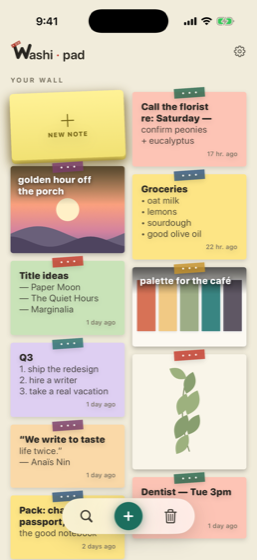
washi·doc also runs in your browser — nothing to install, and the editing still happens on your own machine. The browser app is part of the subscription.
The utility side
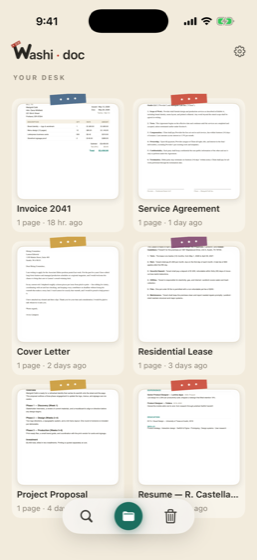
Your Paper Desk
Fix this PDF in 30 seconds.
A fast, native document editor. Edit the real text — not just sticky annotations — sign, redact, and ship.
Free
Download it and fix your PDFs. No account, no ads, no trial clock — on iPhone, iPad and Android.
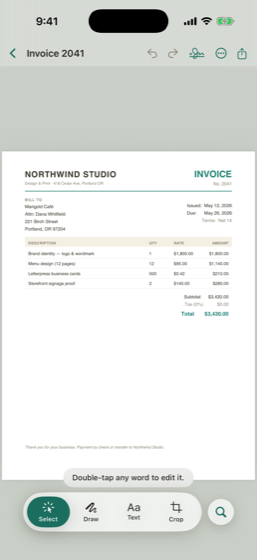
Edit the real textChange what’s on the page, not a note over it.
Sign & fill formsDraw, type or drop in a photo signature.
RedactPersonal info truly removed, not covered up.
OCRMake a scan searchable and selectable.
Camera scanPaper to clean PDF in one pass.
Page toolsRotate, delete, reorder, export, share.
Unlock$24.99 onceOne-tap PII sweep · watermark · Bates · password-protect · smart collections · the editing half of the Mac app. Stays on your device.
Cloud$4.99/moBackup and sync across your devices · Convert to Word & Excel · the browser app. Includes everything the unlock does, and starts with a 7-day free trial.
It was a different PDF app, and honestly a good one. Then they shipped an update, decided a
few of the features I already used belonged in a new tier, and my lifetime came out to about
eighteen months. Nobody stole anything from me. It just wasn’t the deal I paid for
anymore.
So the everyday stuff in washi·doc is free. Editing, signing, redacting, OCR, page
tools. It stays free. What you pay for is the once-a-quarter chores, not the thing you’re
doing at 11pm the night before something is due. If I ever move a free feature behind the
paywall, you have my blessing to be loud about it.
— Hayden · built mostly at night
Lean season? The unlock is on me.
I’ve been active duty. I’ve been a student. I’ve been unemployed. All
three inside a few years, in that order, which I don’t recommend. So if that’s
you right now, the $24.99 unlock is free. No ID, no paperwork, no essay about your
situation.
Active dutyStudentBetween jobs
Get washi·doc and sign in. Apple on iPhone and Mac, Google on Android. The unlock has to land on an account.
Email support@washidoc.com, say which of the three you are, and tell me the address your account is under. If you signed in with Apple and it handed you a scrambled @privaterelay.appleid.com address, that scrambled one is the one I need.
I turn it on. That’s the whole thing.
Honor system please. Covers the one-time unlock; the cloud subscription
pays for actual servers, so that one I cannot give away.